 FLIMKit
Plugins / FLIMKit / Fiji Bridge · edit on GitHub
Fiji Bridge
The Fiji plugin is the other client of the FLIMKit bridge. It moves images and ROIs between FLIMKit and Fiji's ROI Manager, and runs FLIMKit's fits from Fiji. It was written by Zhen Yuan Yeo (10.5281/zenodo.21951612).
Installing the Fiji plugin
Two things, and the plugin does nothing without both.
pip install flimkit-bridgeinto the environment FLIMKit runs from.- In Fiji,
Help > Update..., thenManage update sites. Tick FLIMKit-Bridge, or if it is not listed,Add unlisted sitewith the nameFLIMKit-Bridgeand the URLhttps://sites.imagej.net/FLIMKit-Bridge/.Apply changesand restart Fiji.
The updater keeps it current, so that is the route to prefer. Failing that, put flimkit-fiji-bridge-<version>.jar from the releases into Fiji's plugins/jars/ folder, which is where the update site puts it.
Fiji 2.16 or newer is required, with its bundled JDK 21. An older Fiji fails to load the plugin with UnsupportedClassVersionError, or Module javafx.base not found, and neither message says to upgrade Fiji.
Using the Fiji plugin
Ten commands appear under Plugins > FLIMKit:
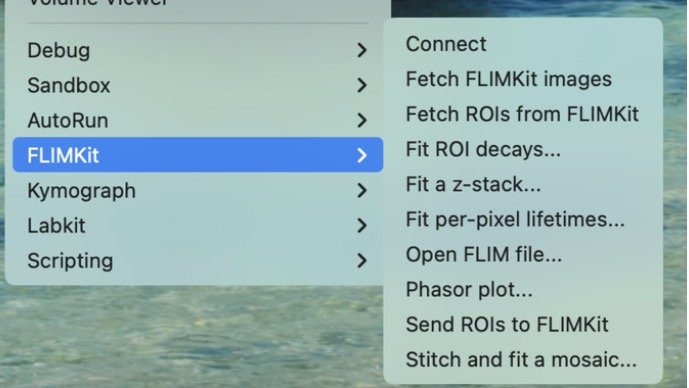
| Command | What it does |
|---|---|
| Connect | Pair with the running FLIMKit or a headless flimkit-bridge |
| Fetch FLIMKit images | Pull the current intensity and lifetime images, with their units in the calibration |
| Fetch ROIs from FLIMKit | Load FLIMKit's Regions table into the ROI Manager |
| Fit ROI decays... | Fit the decay summed over each ROI |
| Fit a z-stack... | Fit a folder of region_zN.ptu slices as one FOV |
| Fit per-pixel lifetimes... | Run a per-pixel fit and return the maps |
| Open FLIM file... | Open .ptu, .sdt, .photons and the other formats FLIMKit reads |
| Phasor plot... | An interactive phasor window |
| Send ROIs to FLIMKit | Push the ROI Manager contents back as GeoJSON |
| Stitch and fit a mosaic... | Stitch a multi-position acquisition and fit it |
File > Open handles the FLIM formats directly too.
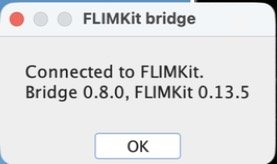
Connect reports the bridge and FLIMKit versions it found:
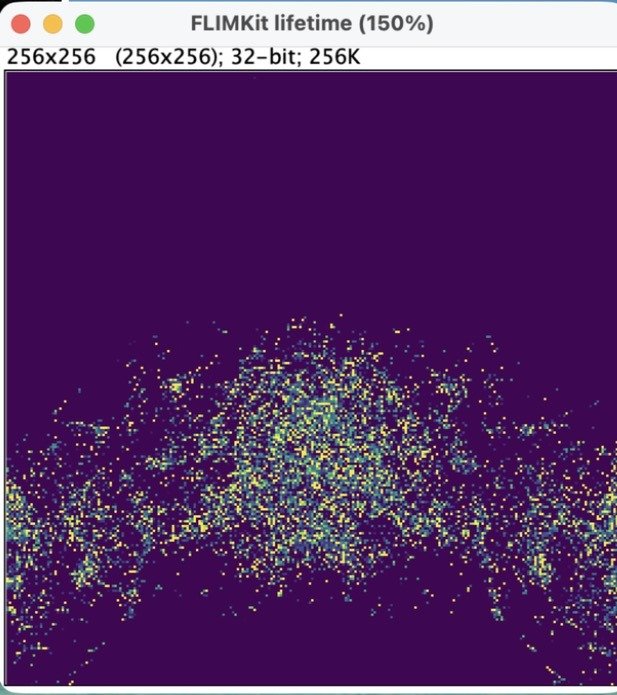
Fetch FLIMKit images opens two windows, FLIMKit intensity (16-bit photon counts) and FLIMKit lifetime (32-bit, ns). This is the Series008 z-stack from Step 14 with the mpl-viridis lookup table applied in Fiji:
Only fitted lifetime and photon-count intensity cross. Raw per-pixel decay histograms do not; that would need a separate data and metadata contract. Fiji rejects ROIs from an image of different dimensions rather than silently rescaling them, and registration stays a Fiji-side job.