 FLIMKit
Plugins / FLIMKit / Web UI · edit on GitHub
Web UI
flimkit-web-ui puts every desktop mode in a browser page: Single FOV with ROI analysis, Tile Stitch, Phasor, Batch and the Machine IRF builder, plus the project browser, synthetic data, preferences and the plugin list.
It is not a second copy of the app. The page drives the desktop window's own form and presses its own buttons, so a fit started from the browser runs through exactly the same code as one started on the desktop, and the two stay in sync.
Installing the web UI
pip install flimkit-web-ui
into the environment FLIMKit runs from. On the next start the server comes up with FLIMKit, the Progress log says where, and Tools > Open Web UI opens it in your browser:

Using the web UI
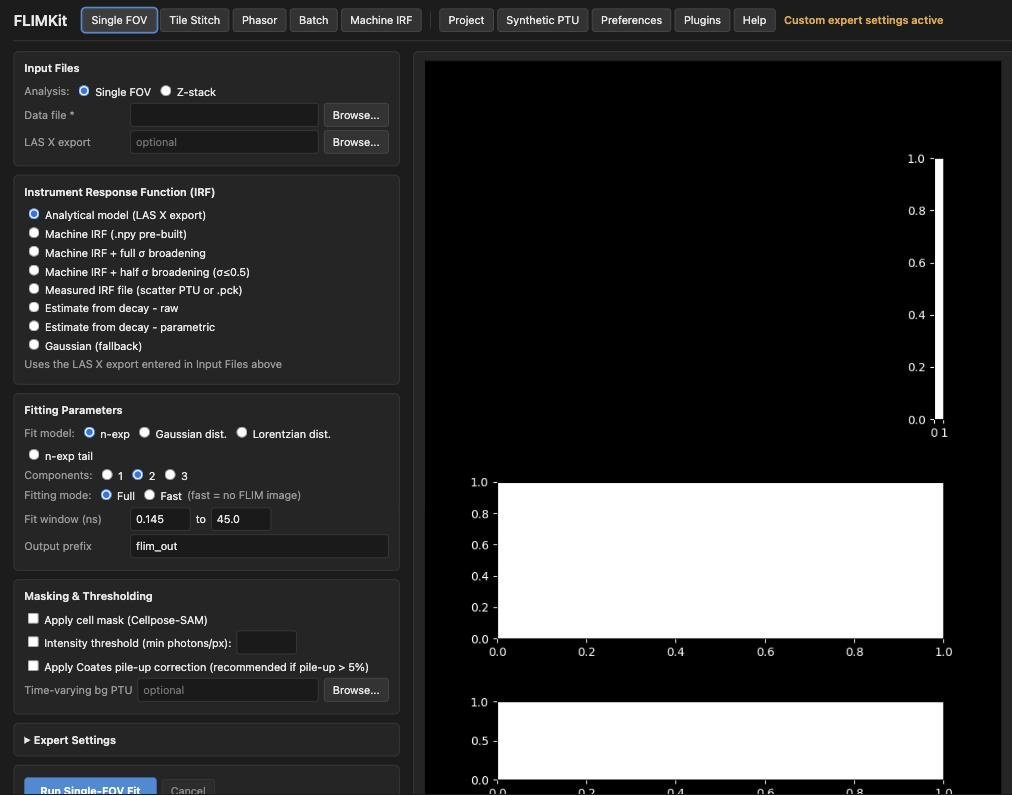
The page opens on Single FOV, laid out like the desktop form:
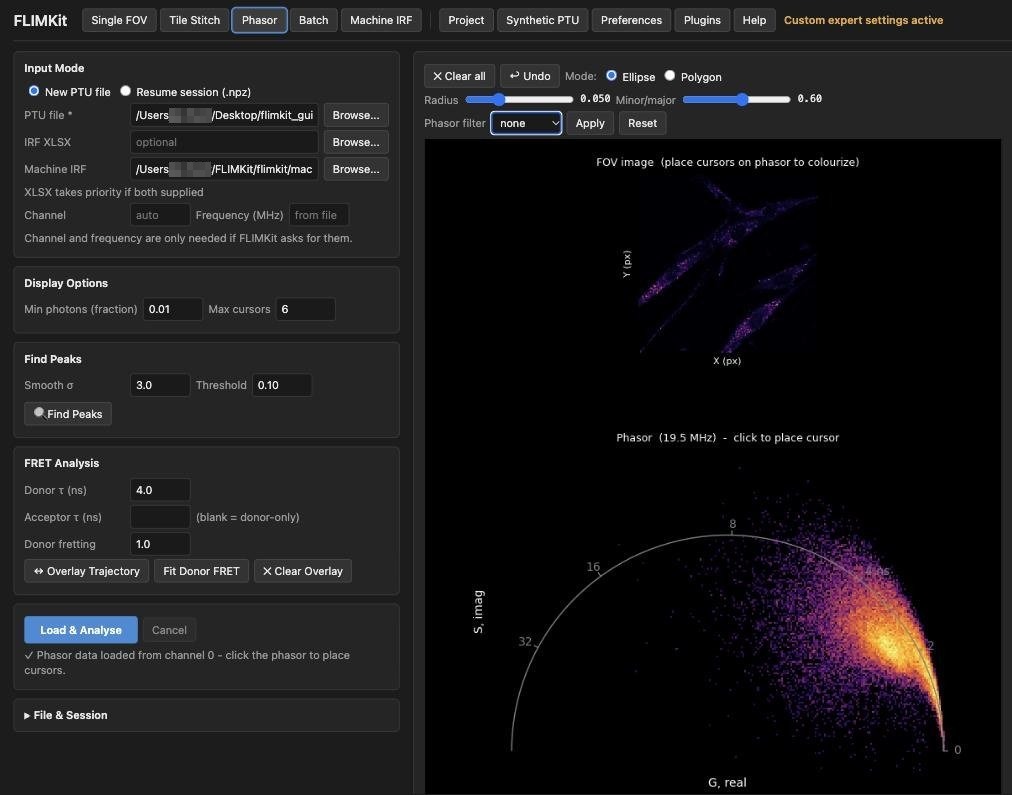
Here is the Phasor tab after loading Ado_1.ptu. The desktop window behind it shows the same file and settings:
Things to know:
- One app, shared state. Several tabs or people can open the page, but they all control the same form and the same results, and the last edit wins. Only one fit runs at a time.
- Files are on the FLIMKit machine. The Browse buttons list folders on the computer FLIMKit runs on, not the one the browser is on. Anything the desktop would save through a dialog is written to the path you give or downloaded by the browser.
- Dialogs move to the page while you use it. While a page is open and has been used in the last 30 minutes, FLIMKit's pop-ups (errors, missing input, channel and frequency prompts) appear as notices in the page instead of blocking the desktop. Close the tab and the desktop behaves normally again.
- Progress windows still appear on the desktop. The page mirrors their progress and can cancel them.
Port and password
The address comes from ~/.flimkit/config.json:
{
  "plugin:web_ui": {"host": "127.0.0.1", "port": 8766}
}
The default is 8766, since 8765 belongs to the FLIMKit bridge. If 8766 is taken, the web UI moves to a free port and logs it, and Tools > Open Web UI opens wherever it ended up. A port you set here or in FLIMKIT_WEB_PORT is used as given, and a clash there is an error rather than a quiet move. Web UI 0.1.0 defaulted to 8765 and had no fallback, so with the bridge installed it failed to start until given another port.
By default the server listens on 127.0.0.1 only and has no password. Anyone who can reach it can browse your files and run FLIMKit, so set a password before exposing it to any network. For a server or container, environment variables override the config:
| Variable | Effect |
|---|---|
FLIMKIT_WEB_HOST |
Address to listen on, for example 0.0.0.0 inside a container |
FLIMKIT_WEB_PORT |
Port to listen on |
FLIMKIT_WEB_PASSWORD |
Require HTTP Basic authentication for every page and API call |
FLIMKIT_WEB_USER |
The user name for that login, flimkit by default |
FLIMKIT_WEB_HEADLESS |
Set to 1 when nobody can see the desktop, so every dialog goes to the page instead of waiting on an invisible window |
FLIMKit still needs an X display to start its window, so run it under Xvfb on a server. GET /healthz answers ok without a password once the server is up, for container health checks. The FLIMKit Docker images are set up this way.